

Table of Contents
- How Digital Advertising Displays Work in Practice
- What Separates a Digital Advertising Display from Standard Digital Signage
- Digital Signage Displays Compared: Brightness, IP Rating and Screen Size
- Floor-Standing Digital Signage vs Wall-Mounted and Battery-Powered Options
- Digital Signage Content That Earns Attention
- Digital Signage Software: What to Check Before You Buy
- Choosing Digital Advertising Displays: A Decision Framework for Buyers
- Conclusion
- Frequently Asked Questions
Last Updated: October 5, 2026
How Digital Advertising Displays Work in Practice
Digital advertising displays are networked screens that show scheduled, remotely updated promotional content rather than fixed printed graphics. This guide from Store Fittings Direct covers what separates them from ordinary screens, how to specify brightness and weather protection, and how to choose the right format for your site in 2026.
The practical difference is control. A printed poster is fixed the moment it leaves the printer; a digital advertising display can switch campaigns by lunchtime, run different messages to different dayparts, and be updated across multiple sites from one dashboard. For retailers, councils, leisure centres and schools, that flexibility is the whole point. Maintaining this level of agility requires hardware that remains protected against environmental wear and unauthorised access, which is why many operators now integrate secure retail display cabinets to safeguard their investment.
Below, we break down the specification decisions that actually matter: brightness, IP rating, screen size, mounting format and software. Get those five right and the rest follows.
What Separates a Digital Advertising Display from Standard Digital Signage
The distinction is intent, not hardware. Standard digital signage covers wayfinding, menu boards, staff notices and information screens. A digital advertising display is specified for commercial messaging: it needs higher brightness to fight ambient light, a weather rating if it sits outside, and content scheduling that supports campaign rotation.

That said, the two categories overlap heavily. A wall-mounted screen in a shop window can serve both purposes, and many buyers end up specifying one unit that does both jobs. The specification questions are identical:
- Can the screen be read in the light it will actually sit in?
- Will it survive the environment it is installed in?
- Can non-technical staff update the content?
Answer those three honestly and you will avoid the most expensive mistake in this category: buying a domestic-grade screen for a commercial-grade location.
Digital Signage Displays Compared: Brightness, IP Rating and Screen Size
Brightness is measured in candelas per square metre (cd/m²), and it is the specification most buyers underestimate. A standard domestic television sits somewhere around 300 cd/m². That is fine in a dim room and useless in a sunlit forecourt.
For outdoor digital signage displays, you want a panel rated well above 1,000 cd/m², ideally 2,000 cd/m² or higher. Our outdoor wall-mounted range runs to 2,500 cd/m², with models available in sizes such as 22-inch, which is the difference between a screen that is visible and one that is merely switched on.
The IP rating tells you how well the enclosure keeps out dust and water. IP65 means full protection against dust and against water projected from any direction, which is the sensible minimum for permanent outdoor installation in the UK.
| Specification | Indoor Use | Covered Outdoor | Exposed Outdoor |
|---|---|---|---|
| Brightness | 350-700 cd/m² | 700-1,500 cd/m² | 2,000 cd/m² and above |
| IP rating | Not required | IP54 minimum | IP65 |
| Enclosure | Standard bezel | Vandal-resistant | Vandal-resistant steel |
| Typical format | Wall-mounted or floor-standing | Wall-mounted | Wall-mounted or battery A-board |
Screen size should follow viewing distance, not ambition. A screen viewed from three metres does not need to be 65 inches; a screen viewed from fifteen metres does.
Outdoor Battery Powered Digital A-Board | IP65 Waterproof | 700cd/m² →
Indoor and Outdoor Digital Signage Displays Side by Side
Indoor units prioritise resolution, slim profiles and touch interaction. Outdoor units prioritise brightness, sealed enclosures and thermal management, because a screen in direct sun generates serious heat and needs active cooling to survive a British summer without dimming or failing.
If your installation is under a canopy or inside a covered concourse, a high-brightness indoor panel may be sufficient. If it faces the weather, specify IP65 and be done with it.
Floor-Standing Digital Signage vs Wall-Mounted and Battery-Powered Options
Floor-standing digital signage suits entrances, concourses and anywhere you need a screen at eye level without drilling into a wall. Wall-mounted units suit permanent installations where the surface is suitable and the viewing angle is fixed. Battery-powered options suit sites with no mains supply at all.
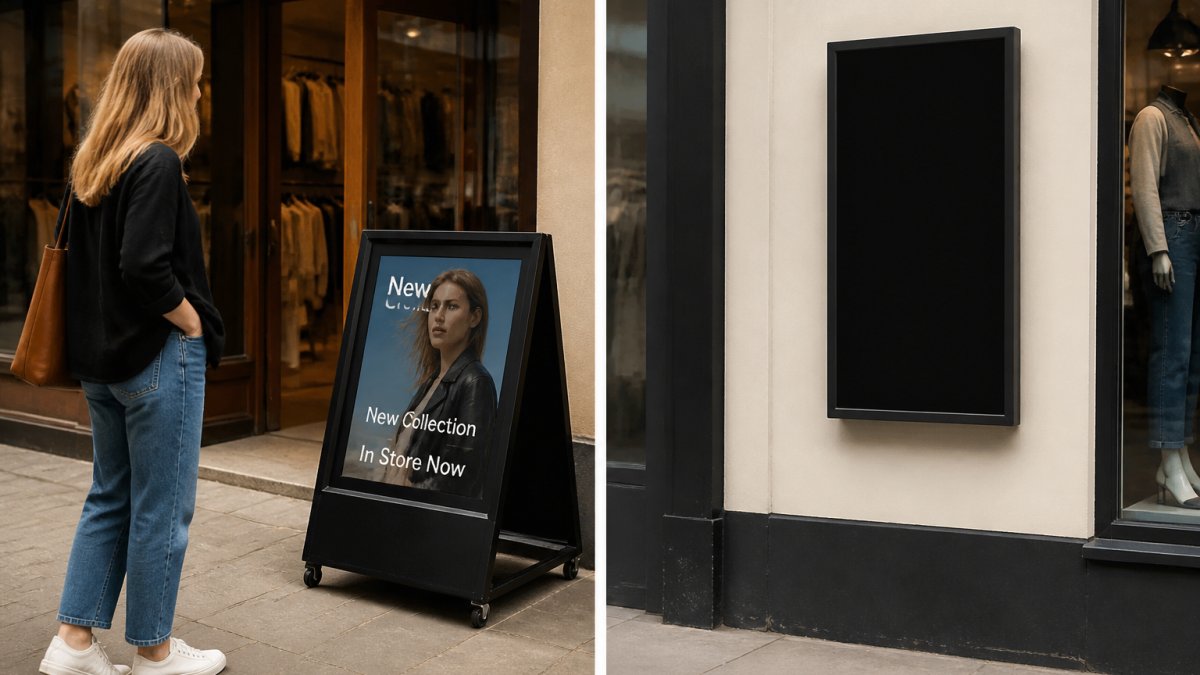
The trade-offs are straightforward:
- Floor-standing: no wall fixings required, repositionable, but occupies floor space and needs a stable base.
- Wall-mounted: out of the way and secure, but installation is permanent and needs a suitable substrate.
- Battery-powered: fully portable and works where mains power is unavailable, but runtime is finite and the battery needs managing.
Our outdoor battery-powered digital A-board is IP65 rated with a 700 cd/m² panel and up to 27 hours of runtime from a single charge, which covers a full event day or an overnight installation without mains power. For councils, contractors and event venues, that combination of portability and weather protection is hard to match.

Digital Signage Content That Earns Attention
Content is where most installations quietly fail. A screen running a static poster for six weeks trains passers-by to ignore it, and once that habit forms it is very hard to break.
Practical rules that hold up in the field:
- Rotate messages every 8-15 seconds; longer dwell times lose the passing viewer.
- Lead with one idea per frame. Two messages on one screen means neither lands.
- Keep text to roughly seven words per line at distance.
- Use motion sparingly. A slow transition reads as professional; constant animation reads as noise.
- Schedule by daypart. Morning commuters, lunchtime footfall and evening leisure traffic are different audiences.
For digital signage content that has to work across a mixed estate, build a template set once and let site managers swap the copy and images within it. Consistency across sites builds recognition; bespoke design per site destroys it.
Digital Signage Software: What to Check Before You Buy
Digital signage software is the layer that decides how painful the next three years will be. Hardware is broadly comparable between suppliers; software is where installations live or die.
Check these before committing:
- Scheduling depth: can you set campaigns by time, date, day of week and screen group?
- Multi-site control: can one dashboard push to every screen you operate?
- Offline behaviour: what happens when the network drops? Content should keep playing from local storage.
- User permissions: can you give a store manager content rights without giving them system rights?
- Content format support: video, image, HTML and live data feeds, or just static images?
- Exit terms: can you export your content library if you change supplier?
Our digital signage displays ship with Hogg CMS included, which covers scheduling, multi-screen control and remote updates without a separate licence negotiation. For buyers who have been burned by per-screen subscription pricing, that bundled approach removes a recurring cost line entirely.
Outdoor Battery Powered Digital A-Board | IP65 Waterproof | 700cd/m² →
Choosing Digital Advertising Displays: A Decision Framework for Buyers
Work through the location first, then the specification, then the software. Buyers who start with screen size almost always end up over-specifying one attribute and under-specifying another.
Use this sequence:
- Where will it be installed? Indoors, covered outdoors, or fully exposed.
- What brightness does that location demand? Match the table above.
- Does it need an IP rating? IP65 for anything facing the weather.
- What viewing distance sets the screen size? Measure it before you order.
- Mains power available? If not, battery-powered is the only route.
- Who updates the content, and how often? That answer determines your software requirement.
- What is the total cost over three years? Include mounting, power, licences and replacement.
Common Buying Mistakes to Avoid
The most expensive mistake is buying a domestic television and calling it a digital advertising display. It will fail on brightness first, then on thermals, then on warranty.
Three others worth naming:
- Ignoring the mounting surface. A large outdoor unit is heavy, and a hollow wall will not hold it.
- Forgetting power and data routes. Retrofitting a cable run costs more than the screen.
- Buying screens before software. You end up locked into whichever platform the hardware supports.
Conclusion
Specifying digital advertising displays comes down to matching the unit to the environment rather than chasing the biggest panel on the page. Get the brightness, IP rating and software right and the installation will still be working in five years.
At Store Fittings Direct, we supply IP65-rated outdoor digital signage displays in a range of sizes, battery-powered digital A-boards with up to 27 hours of runtime, and every unit ships with Hogg CMS included and free delivery. With over 30 years of experience and more than 1.3 million products sold, we can help you specify the right screen for your site. Get started with Store Fittings Direct and put a display in place that still performs next winter.
Frequently Asked Questions
What is the difference between digital signage and a digital advertising display?
Digital signage is the broad term for any screen showing scheduled content, from staff information boards to wayfinding. A digital advertising display is a signage screen used specifically to promote products, services or offers to customers. The hardware overlaps, but advertising displays are chosen for brightness, weather protection and position where shoppers will see them. An outdoor wall-mounted unit rated IP65 with a 2,500 cd/m² panel is built for advertising, while a basic indoor screen may only suit internal notices.
Can digital advertising displays be used both indoors and outdoors?
Yes, but the model must match the location. Outdoor units carry an IP65 rating, a vandal-resistant steel enclosure, anti-glare glass and brightness up to 2,500 cd/m² so content stays readable in direct sunlight. Indoor screens lack that weather sealing and usually cannot match the brightness, so they wash out near a window or entrance. If a screen will sit in a doorway, forecourt or high street position, choose a weatherproof model from the start rather than moving an indoor unit outside.
What equipment is needed to run a digital advertising display?
A display, a mounting method and a content system are the essentials. Wall-mounted models such as the Outdoor Waterproof Wall-Mounted Digital Signage Display arrive with a free wall bracket, and battery-powered A-boards need no mains connection at all. Content is managed through signage software, and some displays ship with a CMS included. Check the listing for what is bundled before buying separate software, and confirm the screen size suits the viewing distance, from 22-inch units up to 65-inch panels.
What content works best on digital advertising displays?
Short, high-contrast messages work best: a single offer, price or product image that reads in a few seconds. Use large text, strong colours and minimal detail, because outdoor viewers pass quickly and bright panels compete with daylight. Rotate a small set of messages rather than crowding one screen, and change content to match the time of day or weather. Battery-powered A-boards suit temporary campaigns and event messaging, while permanent wall-mounted displays handle always-on advertising and wayfinding.


