

Table of Contents
- Types of Digital Screens Explained
- Digital Screens for Retailers: From Boutiques to Supermarkets
- Digital Menu Board Design That Customers Can Read at a Glance
- Outdoor Advertising Screens for Councils and Public Spaces
- Digital Signage Software: What Beginners and Experts Need
- Specifications That Decide Which Screen You Buy
- How to Choose the Right Digital Screen Solution
- Frequently Asked Questions
Last Updated: 29 September 2026
Types of Digital Screens Explained
Digital screens are electronic display systems that show dynamic content such as advertising, menus, wayfinding and promotional messaging in commercial and public environments. They range from wall-mounted monitors to freestanding totems, and the right choice depends entirely on where the screen will stand and who needs to see it. This guide from Store Fittings Direct covers the full range of digital screens.
The market has split into two clear camps. Wall-mounted and window displays suit fixed positions where the audience approaches from one direction. Freestanding units suit spaces that change, and they install without a contractor.
Wall-Mounted Displays and Window Monitors
Wall-mounted displays fix directly to a wall or recess and project almost nothing into the room. They work best in fixed locations: above a counter, behind a till, or facing out through a shop window.
The critical specification here is brightness. A standard domestic television measures around 250 to 300 cd/m². A commercial panel built for window use runs far brighter, which is why a shop window screen stays readable in direct sun while a domestic TV turns into a mirror. Look for a commercial-grade IPS panel with wide viewing angles if the screen will be seen from an angle.

Freestanding Posters, Kiosks and Totems
Freestanding digital posters and totems stand on their own weighted base with no wall fixings, no structural work and no installer. That single fact makes them a flexible option for any space where the layout changes through the year.
Double-sided totems take this further. Two independent screens face opposite directions inside one slim enclosure, so a single unit catches footfall moving both ways down an aisle or concourse. For high-traffic sites, that is the most efficient use of floor space available.
Digital Screens for Retailers: From Boutiques to Supermarkets
Retailers use digital screens for three jobs: pulling people in from the pavement, selling at the point of decision, and communicating with staff or customers inside the store. The screen you buy should match the job, not the other way around.
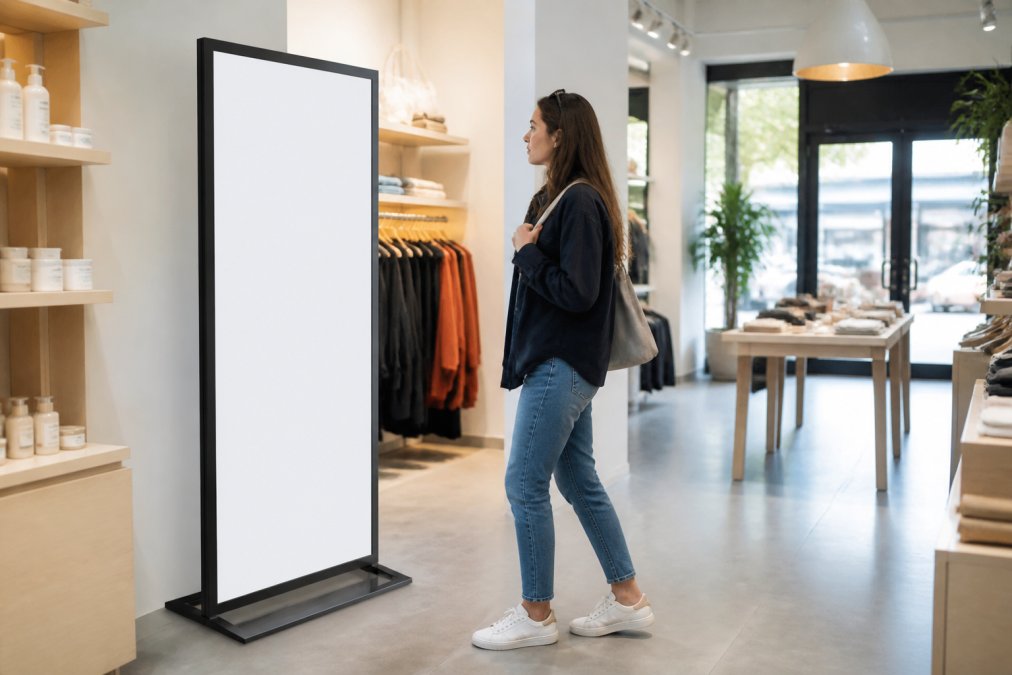
A boutique can benefit from one freestanding poster near the entrance and one wall-mounted display behind the counter. A supermarket or convenience store needs something different: multiple screens running the same content schedule, positioned at the entrance, at key aisles and at the till. Larger chains benefit from networked screens that update every unit at once rather than one at a time.
For retailers, the practical test is simple. Stand where your customer stands. If you cannot read the screen from there, it is in the wrong place or the wrong brightness class.
Digital Menu Board Design That Customers Can Read at a Glance
Digital menu board design is the practice of laying out food and drink menus on screen so a queueing customer can find what they want in seconds. Good menu boards follow one rule above all others: fewer items per screen, larger type, higher contrast.
Slimline Pro Digital Signage →
Three layout principles do most of the work:
- Group by category, not by price, so customers scan to their section first
- Keep the item name and price on the same line, always
- Use no more than two fonts and one accent colour
Menus change, and that is the point of going digital. Seasonal specials, sold-out items and price updates should be editable in minutes without reprinting anything. If updating a menu takes longer than making the food, the software is wrong for you.
Outdoor Advertising Screens for Councils and Public Spaces
Outdoor advertising screens for councils and public bodies serve a different purpose to retail displays. They carry public information, event notices, wayfinding and community messaging, often in locations with no power nearby and no staff on hand.
Weather resistance and visibility in daylight matter more than colour richness here. A screen facing a public square needs to stay readable in low winter sun and stay sealed against rain. Placement should also respect accessibility: text needs to be legible from a wheelchair, and content should not rely on colour alone to carry meaning.
For public bodies, the sensible approach is to pilot one or two units at the busiest sites, measure how the public actually uses them, then expand.
Digital Signage Software: What Beginners and Experts Need
Digital signage software is the system that controls what appears on your screens and when. It splits into two tiers: standalone software built into the screen, and networked content management systems that push to many screens at once.
Beginners should start with the built-in option. A screen with an onboard Android media player runs content straight from a USB stick or internal storage, with no PC, no server and no IT involvement. You load the files, set the order, and the screen runs. For a single shop, that is genuinely all you need.
Experts running multiple sites need a CMS. Look for scheduling by time and day, remote content updates, user permissions so staff cannot overwrite campaigns, and proof-of-play reporting. The software decision should come before the hardware decision, because not every screen supports every platform.
Specifications That Decide Which Screen You Buy
Five specifications separate a screen that works from one that disappoints. Get these right and almost everything else is cosmetic.
| Specification | What It Decides | What to Look For |
|---|---|---|
| Brightness (cd/m²) | Readability in light | Higher for windows and daylight |
| Panel type | Colour and viewing angle | IPS for wide angles |
| Orientation | Portrait or landscape use | Confirm both are supported |
| Operating hours | Lifespan under use | Commercial rating for all-day running |
| Connectivity | How content gets in | USB, network, or built-in player |
Brightness is a key consideration. A screen that looks superb in a dim showroom can look washed out the moment it faces a window. Match the rating to the location, not to the showroom.
Slimline Pro Digital Signage →
How to Choose the Right Digital Screen Solution
Choosing the right digital screen solution comes down to four questions, answered in order. Where will it stand? Who needs to see it? How will content get onto it? Who updates it?
Work through this checklist before you buy:
- Confirm the mounting method: wall, freestanding, or ceiling
- Measure the viewing distance and pick a screen size to match
- Check the brightness against the ambient light at that spot
- Decide single-sided or double-sided based on footfall direction
- Confirm the content system: built-in player or networked CMS
- Check the operating hours rating against how long it will run
- Plan who updates content and how often
If you can answer all seven, you will buy the right screen the first time.
Store Fittings Direct supplies commercial digital signage built for exactly this decision, including slimline wall-mounted advertising displays with a built-in Android media player and commercial-grade IPS panels rated at 450cd/m², and freestanding digital posters and totems that install with no wall fixings at all. For window displays facing daylight, the high vibrance large format commercial monitors use a sunlight-readable panel, and the double-sided totems run two independent screens back to back for sites with footfall from both directions. Every unit ships with free delivery and runs on the Hogg CMS, so beginners and multi-site advertisers work from the same system.
The hard part of buying digital screens is not the technology. It is matching the specification to the site. Store Fittings Direct has spent over 30 years supplying retail and commercial fittings, with more than 1.3 million products sold, a Price Match Promise and trade accounts offering 30 days interest-free credit. Get started with Store Fittings Direct and specify screens that fit the space the first time.
Frequently Asked Questions
What are the benefits of using digital screens in retail?
Digital screens let you change prices, promotions and product stories in minutes instead of reprinting signage. A slimline wall display or freestanding totem catches the eye at the entrance, at the till or in the window, and content can be scheduled around the trading day. Because screens run from a built-in media player, a single member of staff can update every display without specialist help. For retailers, the practical gain is faster campaigns and more consistent messaging across every site.
Are outdoor digital screens weather-resistant?
Outdoor advertising screens need an IP-rated enclosure and high brightness to stay readable in direct sun. Standard indoor panels fade quickly when exposed to rain, dust or UV, so always check the IP rating and the operating temperature range before mounting anything outside. For council noticeboards, bus stops and high streets, choose a sealed unit with a lockable housing and anti-glare glass. If the location is sheltered, a high-brightness indoor display may be enough.
What hardware is required to run a digital signage system?
Most modern displays include a built-in Android media player, so you only need a screen, a power socket and a way to load content. You can publish from a USB stick or over your network using a content management system. Wall-mounted units need a suitable bracket or recess, while freestanding posters and totems need no fixings at all, which suits venues where drilling into walls is not possible. A stable Wi-Fi or wired connection is only needed if you update content remotely.
What is the difference between commercial and domestic digital screens?
Commercial screens are built to run continuously for years, with brighter panels, better heat management and a longer warranty than a television from a high street shop. A domestic TV left on for twelve hours a day may not be designed for continuous operation. Commercial models also offer portrait orientation, network control and higher brightness for window displays. For any retail, council or hospitality setting, the commercial option is the one that lasts.


