

Table of Contents
- What Are Electronic Shelf Labels and How Do They Work?
- Digital Price Tags vs Paper Labels: What Changes in Your Shop
- How Electronic Shelf Labels Save Money by Reducing Manual Price Updates
- Why ESLs Suit Small Shops Running on Limited Staff
- Electronic Shelf Label System Integration: What You Need Before You Buy
- Choosing Your First Labels and Mounting Them
- Conclusion
- Frequently Asked Questions
Last Updated: September 10, 2026
What Are Electronic Shelf Labels and How Do They Work?
Electronic shelf labels are small digital screens that clip to the front edge of shelving and show a product's price, replacing printed paper tickets. Each label connects wirelessly to a central system, so a price change made once on a till or back-office computer updates every affected label in the shop automatically.
If you run an independent shop, you have probably noticed these little screens in larger stores and wondered what the fuss is about. At Store Fittings Direct, we speak to shop owners every week who are curious about electronic shelf labels but assume the technology is only for the big chains. It is not, and this guide explains why.
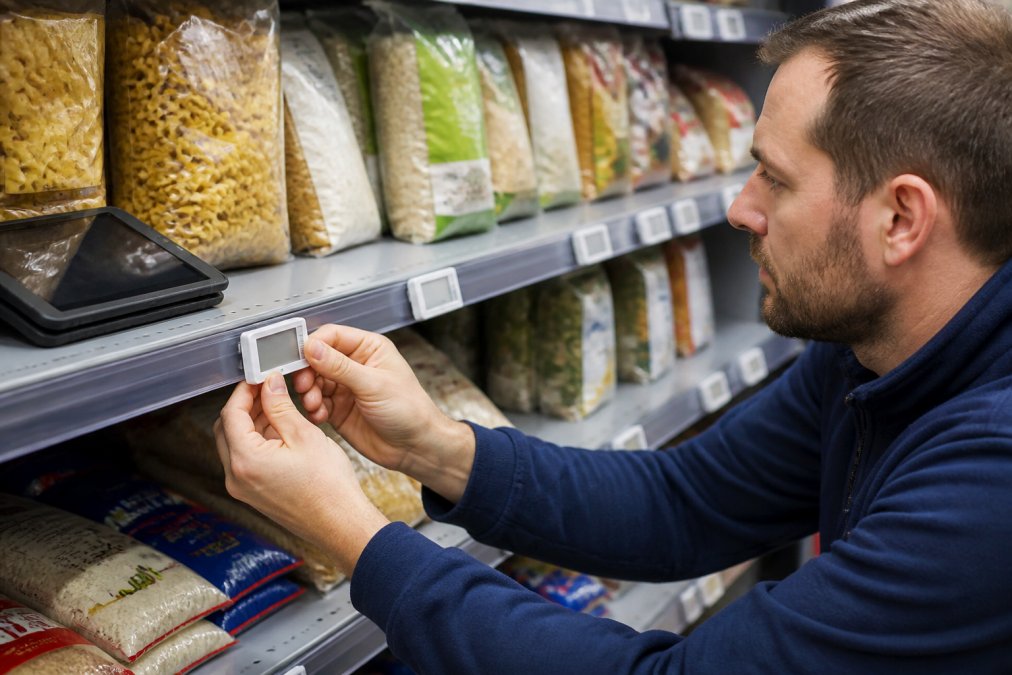
The technology is not new. Electronic shelf labels have been standard in mainland European supermarkets for years, and adoption across the continent has been steady while UK retailers have watched from the sidelines (europa.eu). That gap is now closing, partly because label prices have fallen and partly because staffing has become the harder problem to solve.
The Three Parts of an ESL System
Every electronic shelf label system is built from the same three components:
- The labels themselves. Small screens, usually e-paper, that display the price and sometimes a product name, unit price or barcode.
- The base station or gateway. A small transmitter, often mounted on the ceiling, that sends price updates to the labels by radio signal.
- The management software. The dashboard where you change prices, either on its own or linked to your till system.
Once those three pieces talk to each other, changing a price is a few clicks rather than a walk down every aisle.
Digital Price Tags vs Paper Labels: What Changes in Your Shop
The practical difference between digital price tags and paper tickets comes down to time and accuracy. A paper ticket has to be printed, found, removed, replaced and checked. A digital price tag updates itself the moment you change the price in the software.
Think about what a single pricing error costs you. If a shelf ticket says one price and the till charges another, you either honour the lower price and lose margin, or you argue with a customer at the counter. Neither is good. Digital labels remove that mismatch because the shelf and the till read from the same source.
There is a visual benefit too. Paper tickets discolour, curl at the corners and get picked at by customers. E-paper screens hold a crisp, high-contrast image and only draw power when the content changes, so a label can run for years on its original battery (energy.gov).
How Electronic Shelf Labels Save Money by Reducing Manual Price Updates
The core saving from electronic shelf labels is labour. Every price change you make on paper costs staff time, and that time is repeated across every affected label in the shop.
Walk through the maths of a typical price change. A member of staff has to note which products are changing, print or write new tickets, find each shelf position, remove the old ticket, fit the new one, then spot-check that nothing was missed. Multiply that by every promotion, every supplier cost increase and every seasonal reset.
Reducing manual price updates frees those hours for work that actually sells: serving customers, restocking, keeping the shop floor presentable. For a shop running on a thin team, that shift matters more than the label cost itself.
A Simple Example: 600 Labels, One Price Change
Picture a shop with 600 shelf-edge labels. A supplier puts up a cost price, and you decide to pass it on across a range of 120 products.
On paper, that is 120 tickets to print, 120 shelf positions to find, and 120 old tickets to pull and replace. If each one takes a minute, you have just spent two hours of someone's shift on a single price change, before you check any of it (bls.gov).
With an electronic shelf label system, you select the 120 products in the software, enter the new price and confirm. The base station pushes the update to those labels, and the screens refresh themselves. The same change takes minutes, and nothing gets missed.
Why ESLs Suit Small Shops Running on Limited Staff
Small shops feel the pain of paper pricing more than anyone. When you have three or four people on the rota, pulling one of them off the floor to change tickets leaves the shop short-handed.
A single-person shift is where electronic shelf labels earn their place. The owner or lone member of staff can push a price change from the back office without leaving the counter, and the shelves stay correct even on the busiest day.
There is also a training benefit. New starters do not need to learn where the ticket printer lives or how to fit a paper ticket straight. The price on the shelf is simply right, because the system set it.
Electronic Shelf Label System Integration: What You Need Before You Buy
Electronic shelf label system integration is the part most buyers underestimate. The labels are the easy bit. The work is making sure the system talks to your existing tills, stock and pricing.
Before you commit, check three things. First, how prices currently reach your shelves, whether that is a till system, a spreadsheet or handwritten tickets. Second, whether your till provider supports an integration or an export file. Third, who will own the pricing data once the labels go live.
If your till system is old or closed to integrations, you can still run electronic shelf labels from their own software and update prices there. It is more manual than a full integration, but it still beats printing tickets. Ask any supplier directly whether they have connected to a system like yours before, and ask to see it working.
Questions to Ask Any Supplier
- Does the system integrate with my till or EPOS provider, and has it done so before?
- What happens to the labels if the network or power goes down?
- How long do the label batteries last, and can they be replaced?
- What is the range of the base station, and how many will my shop need?
- Can I add more labels later without replacing the gateway?
- What support do I get in the first month after installation?
Choosing Your First Labels and Mounting Them
Start with the shelf edge you look at most: the aisles where prices change often, such as promotions, fresh ranges or seasonal lines. That is where digital labels pay back fastest.
Size matters more than you might think. A 1.54" label suits tight shelf edges and short product names, while a 2.13" or 2.6" screen gives you room for a longer description and a clearer unit price. For most independent shops, the 2.13" size is the sensible middle ground.
Mounting is the part that trips people up. Many shelves do not have a built-in rail for labels, so you need a way to hold them in place. A flat track with double-sided adhesive is the simplest fix: cut the strip to length, peel the backing and press it onto the shelf edge, then clip the labels on. No drilling, no permanent changes to your fixtures, and you can reposition the track later if you rearrange the shop.
Store Fittings Direct supplies ESL displays in 1.54", 2.13" and 2.6" sizes alongside the flat track that holds them, so you can fit out a single aisle or a whole shop from one supplier. With over 30 years in shop fitting and more than 1.3 million products sold, we have helped retailers of every size get their shelf edges working properly.
Conclusion
The hardest part of pricing is not deciding what to charge. It is keeping every shelf in the shop showing the right number without pulling staff off the floor to do it. Electronic shelf labels solve that problem, and the technology is now well within reach for independent retailers rather than just the large chains.
If you are ready to test it, start with one aisle and see how much time you get back. Store Fittings Direct can supply the ESL displays and the flat track mounting to get you started, with fast nationwide delivery and trade accounts offering 30 days interest-free credit. View the range and pick the label size that fits your shelves.
Frequently Asked Questions
How do electronic shelf labels work in a retail environment?
Each label is a small battery-powered screen that shows a price and product name. When you change a price in your till system or ESL software, the update travels over a wireless network to the label, which refreshes in seconds. Nothing needs printing, cutting or clipping to the shelf edge. The screens are electronic paper, so they only draw power when the display changes, which is why a single battery can last several years.
Are electronic shelf labels cost-effective for small businesses?
For independent shops, the maths hinges on how often prices change. If you reprice promotions weekly across hundreds of lines, the staff hours spent on reducing manual price updates add up quickly, and ESLs remove most of that work. Entry-level 1.54-inch labels cost £4.99 each, with 2.13-inch labels at £5.91 and 2.6-inch labels at £6.49, so a modest rollout is affordable for a single-site shop.
How do electronic shelf labels help with staff shortages?
Price changes become a software task rather than a physical one. One person can push an update to every label in the shop from a tablet, instead of two or three staff walking the aisles with printed tickets. That frees your team to serve customers, restock and keep the shop floor tidy. It also removes the risk of a price change being missed on a busy day when nobody has time to finish the round.
Do electronic shelf labels integrate with existing point-of-sale systems?
Many do, but electronic shelf label system integration depends on your till software. Before buying, ask the supplier whether your EPOS provider is supported, whether prices sync automatically or need a manual export, and what happens if the network drops. Some smaller shops start with standalone ESL software and add EPOS integration later. Always test one aisle first so you can confirm the workflow suits your team.


